01
Pick your video.
Choose a game or practice video from your photo library. Start with what’s already on your phone.
LESS SEARCHING. MORE CHEERING.
You know who you’re watching.
Now everyone else will, too.
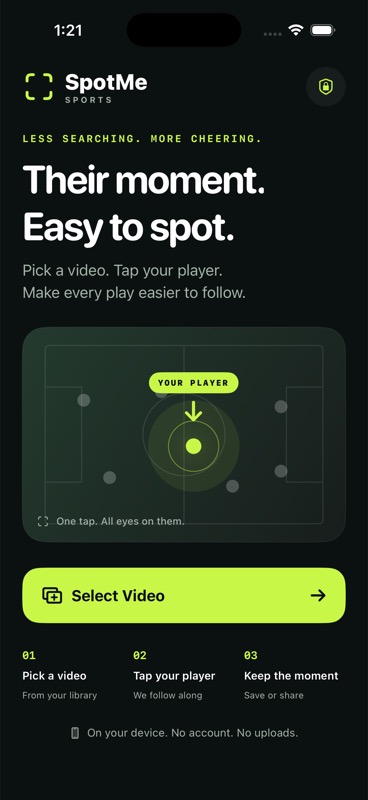
Pick a sports video. Tap your athlete. Add a marker that helps family and friends follow every move.

FROM THE SIDELINE TO THE SPOTLIGHT
No editing experience needed.
Just the video you already took.
Choose a game or practice video from your photo library. Start with what’s already on your phone.
Pause on a clear frame, tap your athlete, and adjust the box. SpotMe takes it from there.
Choose a marker, preview the result, and save or share a high-quality video with the people who care.
THE GOOD PARTS. READY TO REPLAY.
Keep the full video, or bring the moments when your player is tracked into one easy-to-share clip.
Add a few seconds before and after each appearance, so the moment has room to breathe.
Try the controls. This example shows how your clip changes.
A LITTLE SMARTER. STILL SIMPLE.
Because games move fast.
And getting your player right matters.
Add a jersey number to give SpotMe another clue. Uniform colors and movement help it keep track, too.
If the match isn’t clear, SpotMe offers a few frames to review. Tap your athlete again and help it get back on track.
Crowded plays, blurry footage, or hidden numbers can make tracking harder. Preview your video before you share.
Tap a clear frame to help SpotMe follow along.
YOUR FAMILY’S VIDEO STAYS YOURS
SpotMe processes your imported video on your iPhone or iPad. No SpotMe account, no video uploads, no server doing the tracking. You choose when and where to share the finished video.
If your original is stored in iCloud Photos, Apple may download it to your device before import.
A FEW THINGS TO KNOW
Simple answers before the next game.
SpotMe Sports is currently in development for iPhone and iPad. App Store availability and pricing will be announced when it’s ready.
Yes. Choose a sports video from your photo library. Pause where your athlete is easy to see, tap them, and adjust the selection before tracking starts.
You can enter a jersey number, and SpotMe can look for readable numbers in the footage alongside uniform colors and movement. A number is a helpful clue, but it may not be readable in distant, blurry, or crowded footage.
SpotMe tries to find a confident match. When it still needs help, it offers a few nearby frames so you can confirm your athlete. You can review later, skip that check, or tap the player again.
Yes. Turn on “Only their moments” to join sections where your athlete is tracked. Set up to 10 seconds of lead-in and lead-out around each section, or keep the full video. It follows appearances; it doesn’t decide which plays are highlights.
SpotMe exports MP4 video at the source resolution and nominal frame rate, with the original audio when present. The current app exports standard dynamic range video, so HDR footage is converted to SDR.
Tracking and export happen on your device. SpotMe does not upload your video. Save the finished result to Photos or share it with an app you choose. Your original video is left untouched.
YOUR NEW SIDELINE SIDEKICK
Made for the parents who film the game.
And everyone who wants to watch their player.
SpotMe Sports is in development. App Store release details are coming soon.